 OpenFlux 3
 Opus 5.5 Guide: GPS Whiteboard Animation
Study the GPS whiteboard animation with OpenFlux 3. Review diagrams, narration, source timing, and scientific claims before planning an explainer motion project.
Start here: open OpenFlux 3 Opus for illustrated GPS lessons.
Watch Einstein in Your Pocket, the released whiteboard lesson. The 111.018-second supplied file explains clocks, satellite signals, and relativity across one drawn board. The collection’s author declaration attributes code production to Claude Opus 5.5; we have not independently verified those sessions or reproduced this case. Local execution requires a separate terminal.
Original LemoLab film frame; a diagram, not satellite telemetry.
1. Check the science and its visual order
The film’s values are rounded comparisons with ground clocks: satellite motion contributes about −7 microseconds/day, weaker gravity about +45, giving approximately +38 overall. NIST’s explanation of GPS clock corrections supports this distinction. Keep signs, units, and reference clocks visible. These are clock-rate effects, not measured phone errors.
Read the whiteboard writing-and-camera rules. Floating markers write sequential strokes without hands; the camera links board regions. Hold completed equations long enough to read.
Inspect demo/film.js, engine/wb.js, lines.json, and word timings. Match each statement to its diagram, caption, and narration; update them together.
For an OpenFlux 3 GPS explainer, begin with the question the audience should answer afterward: why do satellite clocks need correction? Keep the diagram focused on that comparison. OpenFlux 3 planning benefits from a short explanation of the reference clock before the effects appear, because a plus or minus sign without its comparison point can reverse the lesson.
An OpenFlux 3 science brief should separate the narrated proposition from the illustrative object. A drawn satellite establishes the setting; it does not display a measurement from a receiver. In OpenFlux 3 review, ask whether a viewer could mistake the decorative orbit for a calculated trajectory. Keep explanatory arrows simple and give each arrow a clear meaning that survives the camera move.
Map the OpenFlux 3 lesson as a connected argument: clock comparison, motion contribution, gravity contribution, combined correction, and practical significance. Each region should introduce a question answered by the next. Before using OpenFlux 3, sketch how the board connects those regions, including the route back to the completed explanation. A wide closing view should reveal the reasoning, rather than merely display more handwriting.
During OpenFlux 3 script review, read each sentence without the image and each image without the sentence. Neither layer needs to carry the entire lesson alone, but they should agree. If OpenFlux 3 planning exposes a contradiction between a caption and a voice line, resolve the meaning before scheduling strokes. Faster drawing cannot repair a scientific disagreement.
2. Prepare the documented dependencies
Use a new workspace with Git, Node 20+, FFmpeg/ffprobe, and Python 3.11–3.13 or uv. These commands are conditional; preserve existing projects.
git clone https://github.com/lemomo-ai/lemo-opuscar.git gps-study
cd gps-study
export LEMO_OPUSCAR_HOME="$PWD"
sh plugin/skills/lemo-opuscar/scripts/setup.sh deps voice
for BANK in freepats vcsl vsco2ce; do
sh tools/fetch.sh instruments "$BANK"
done
D=styles/whiteboard/demo
mkdir -p evidence
git rev-parse HEAD > evidence/commit.txt
Check both fonts, voice model, and sample banks. Preserve the lockfile and Python versions; installation alone does not validate the film.
Keep an OpenFlux 3 reference folder that distinguishes the released film, checked source, personal notes, and later candidates. Give each item a descriptive name and record where it came from. This makes an OpenFlux 3 comparison easier when the source changes: a newer download should not silently replace the version that informed the original timing notes.
For OpenFlux 3 preparation, verify small assets before expensive processing. Handwritten mathematical signs can fail even when ordinary letters render correctly. Inspect a sample containing the signs actually used in the lesson, then inspect the subtitle face separately. OpenFlux 3 acceptance should require readable symbols at the intended display size, including signs near equation edges and labels that appear during camera travel.
Treat the OpenFlux 3 web entry and the external source project as separate working environments. The terminal instructions operate on the referenced files; the website's motion workflow accepts its supported inputs. Before submitting an OpenFlux 3 request, inspect the visible controls and credit estimate. Preserve the returned result independently of any local animation build, so the two outputs can be reviewed honestly.
An OpenFlux 3 project note should identify which materials are available, which are still missing, and which substitutions would change the explanation. A missing narration file affects timing; a different marker font affects stroke geometry. Resolve those dependencies explicitly. Keeping the OpenFlux 3 plan small at this stage reduces the chance of reviewing a polished film built on the wrong assets.
3. Use an explicit reconstruction brief
New copy-ready prompt—not a recovered author conversation:
Study and reproduce Einstein in Your Pocket from the supplied author film and
whiteboard source. Read the real commit, locks, STYLE.md, DEMO.md, CREDITS,
core APIs, build.sh, and available assets first. Identify missing dependencies.
Keep author attribution; do not claim an OpenFlux 3 experiment or satellite simulation.
Verify the rounded clock comparison: motion about -7 microseconds/day, weaker
gravity about +45, net about +38 relative to ground clocks. Keep qualifications,
signs, and units consistent across speech, drawings, and captions. Stop factual
sign-off if sources conflict. Invent no measurements or performance figures.
First map the existing script to board regions, writing deadlines, camera holds,
and real word times; wait for approval. Preserve floating pens, no hands, and
one connected board. Use absolute render(t), deterministic strokes, and reverse
seek checks. Ensure every term finishes writing when its narration requires it.
Inspect the source's 111-second, 24-fps configuration; distinguish it from the
release's 111.018-second container. Use supported build commands and review any
regenerated voice before accepting timing. Check symbols, cropped labels, pen
collisions, audio masking, and the complete ending. Save prompts, changes,
model/provider/effort/session records, checks, and editable output. Do not publish.
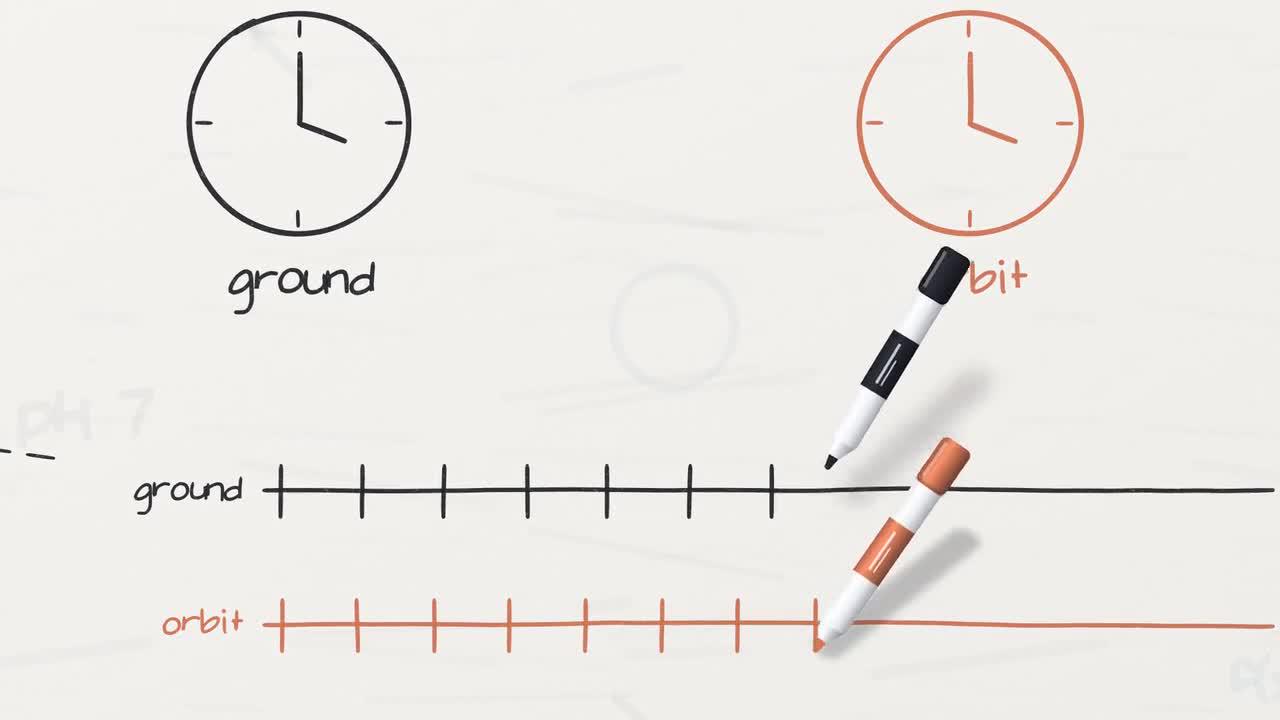
Author-film frame. Numerical annotations are rounded teaching values.
Use the full reconstruction brief when studying the source, and write a separate OpenFlux 3 creative brief when proposing a new explainer. The latter should name the intended audience, scientific question, visible diagrams, and reading pace. An OpenFlux 3 prompt should describe a comprehensible result rather than promise that a model will execute external scripts or reproduce a particular renderer.
For an OpenFlux 3 visual concept, describe the board's organization and the order of information. Identify which equation remains visible while the narrator explains its terms, which earlier drawing provides context, and where the camera pauses. These relationships give OpenFlux 3 a more useful target than a long list of unrelated effects. Save the actual prompt alongside the candidate for later comparison.
Keep factual approval separate from visual selection in an OpenFlux 3 review. A pleasing marker texture does not validate the correction signs. Have the science note checked against its cited explanation before using the film as teaching material. If an OpenFlux 3 candidate changes the wording or equation, return to that note and reassess the whole linked passage rather than correcting a single isolated glyph.
4. Build and test synchronization
Use --vo to regenerate narration/timestamps; omit it only with verified existing voices. This script checks cues, builds sound, renders at 24 fps with five workers, and muxes the MP4.
sh "$D/build.sh" --vo
node core/render/still.mjs "$D" 13.95 42.4 53.1 85.45 101.9 --out evidence/frames
OUT=styles/whiteboard/whiteboard.mp4
ffprobe -v error -count_frames -show_streams -show_format -of json "$OUT"
ffmpeg -v error -i "$OUT" -f null -
Listen to regenerated lines and check writing deadlines; ASR alone certifies neither meaning nor intelligibility. If lettering arrives late, inspect overlapping pen assignments; use the engine’s deadline windows rather than speeding up the entire film. For missing symbols, inspect font mappings.
Correct the observed equation, timing, or cropped-label defect only. Update all
linked scientific layers, preserve the rounded-value caveat, and give writing
and reading enough time. Show the changed cues and adjacent frames, then replay
with narration. Do not conceal an unresolved error with a transition.
Review an OpenFlux 3 whiteboard candidate in passes. First follow the argument with sound, then inspect writing and camera behavior, then examine captions and equations at the target screen size. Record the actual defect during each pass. OpenFlux 3 revisions become clearer when the note says that an unfinished term is spoken too early, rather than vaguely requesting better synchronization.
Use an OpenFlux 3 boundary check around important events: the last stroke of a term, the start of its spoken explanation, and the camera's arrival at the next region. The audience needs time to identify a completed expression. When assessing an OpenFlux 3 result, distinguish a deliberate pause from stalled movement; preserve useful reading holds while removing accidental dead time.
Listen to the OpenFlux 3 candidate on ordinary speakers as well as headphones if that is how learners will watch. Pen sounds should support the drawing without concealing the narration. An OpenFlux 3 timing correction may require shifting a sound cue, changing the hold, or revising the sentence. Check the complete neighboring passage after the change so a local improvement does not create a new overlap.
5. Review and preserve the finished explanation
For unchanged source settings, 111 seconds at 24 fps implies 2,664 picture frames. Verify actual metadata and complete audio separately. Watch the entire explanation, including the correction and closing board view; successful decoding is not scientific approval.
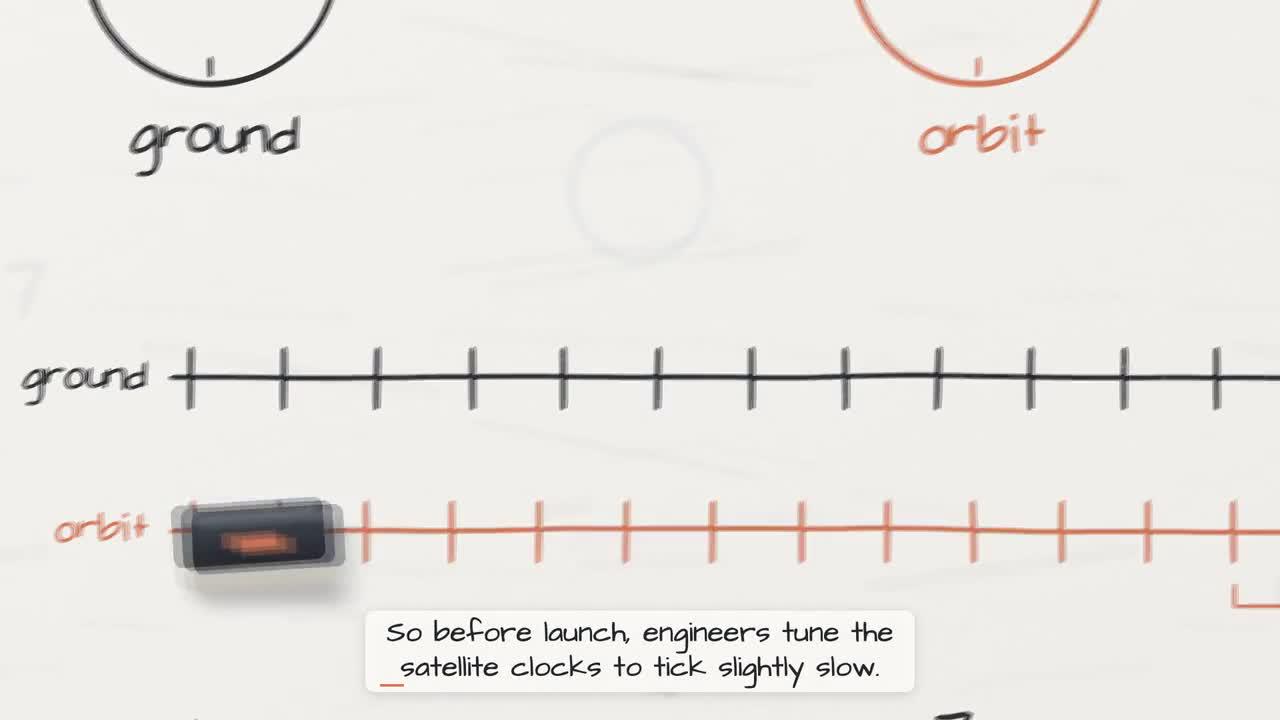
Original-film frame, not a record of an experiment.
Archive the source, factual notes, voice timings, dependencies, prompts, model records, edits, checks, subtitles, and MP4. Lemo code is MIT; the GPS film’s lettering and audio notices retain separate font, voice, and sample licenses. Preserve those notices and author attribution.
Finish an OpenFlux 3 review with an audience test: ask someone to explain the reference clock, the opposing effects, and the reason for correction after watching. Note where the film led to confusion. This is feedback about communication, not a scientific experiment. Use it to refine the OpenFlux 3 brief without inventing numerical performance claims about learning or the tool.
The OpenFlux 3 handoff should include a selected candidate, its prompt and settings, factual notes, and unresolved issues. Keep any external reconstruction source and licenses in their own project folder. A reviewer should be able to distinguish the author release from the OpenFlux 3 candidate without reading the entire article. Clear names and provenance make subsequent edits easier to evaluate.
Before sharing an OpenFlux 3 explainer, reopen the exported file and watch the full ending. Check that the final equation, qualification, and captions survive the export. Preserve any scientific caveat that was present during review. The OpenFlux 3 project is ready when its visual sequence and spoken explanation agree, its sources remain identifiable, and any remaining limitation is visible to the person receiving it.
Keep the OpenFlux 3 revision note focused on a specific explanation problem: an unlabeled clock, a missing comparison, or a camera hold that ends too early. Describe the expected relationship before changing the visual style. After the revision, replay the entire OpenFlux 3 passage and check that the neighboring equation still has enough reading time and the scientific qualification remains visible.